

.png?fit=max&auto=format&n=57CRuKycPL1HNBla&q=85&s=f94d259db3b079282bd804c3d325f7e2)
Query Params
You have to specify the required parameters. They are marked with a tag and usually are: sortBy, page, size, order, and path. You can also fill in the optional parameters to get a more targeted request.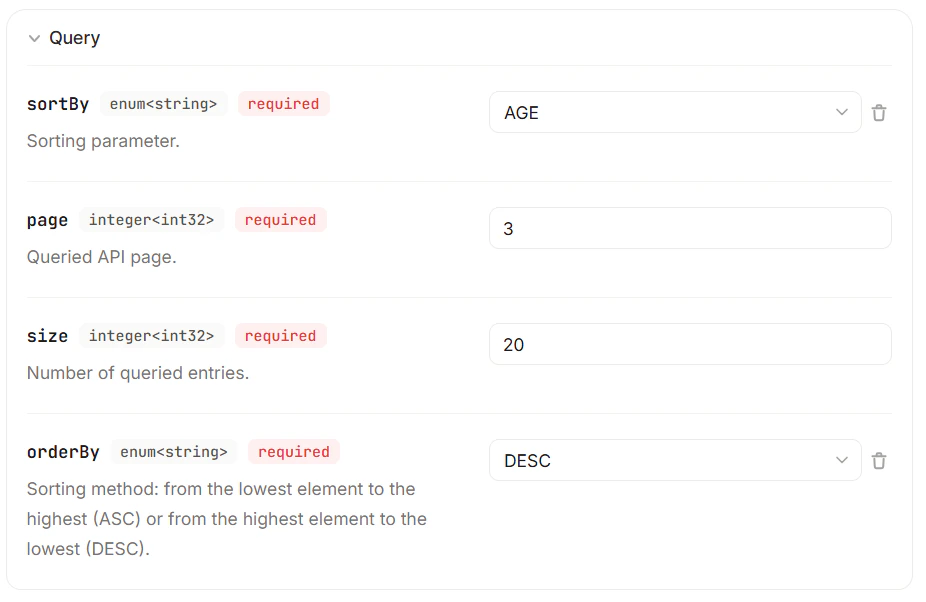
Unless you fill in all the required fields, the request won’t work, and you’ll get an error.
Modo API is here for you. Get the data you need!
Pagination
Read about the pagination principles Modo API uses.
Error Reference
Check the most common API errors and codes.
Modo API
Read more about Modo API – a data platform on Canton.
API Dashboard
View your API statistics in the API Dashboard.